APIPLAY PLATFORM DOCUMENTATION & USER GUIDE

How to Use APIPLAY: Complete Visual Guide

Step-by-step instructions for engineering and operational teams to turn internal APIs, webhooks, and third-party services into safe, parameterized runbooks with zero credential exposure.

๐ŸŽฎ Launch Interactive Demo
๐Ÿ›ก๏ธ

The Zero-Exposure Gateway Architecture

Why modern teams replace raw Postman collections with APIPLAY runbooks

โœ• Direct cURL & Postman Sharing (Vulnerable)
  • โš ๏ธ Raw production API secrets copy-pasted into Slack channels or personal laptops
  • โš ๏ธ Non-technical staff can alter raw JSON payloads, causing unvalidated database corruption
  • โš ๏ธ Zero centralized audit trail โ€” impossible to identify which staff member fired a query
  • โš ๏ธ High risk of unintended mutations on production environments
โœ“ APIPLAY Managed Gateway (Hardened & Audited)
  • ๐Ÿ”’ AES-256-GCM Vault: Secrets decrypted strictly on server-side gateway โ€” never sent to browser
  • ๐Ÿ“‹ Validated Form Builder: Staff enter only typed, regex-validated inputs with zero curly brackets
  • ๐Ÿ“œ Append-Only Audit Logs: Every execution recorded to immutable MySQL ledger with timestamp & user ID
  • ๐Ÿšฆ Environment Guardrails: Production safety gates with required confirmation checkboxes

Step-by-Step Illustrated Product Manual

Showing 18 of 18 platform screens. Click any screenshot for full-screen inspection.

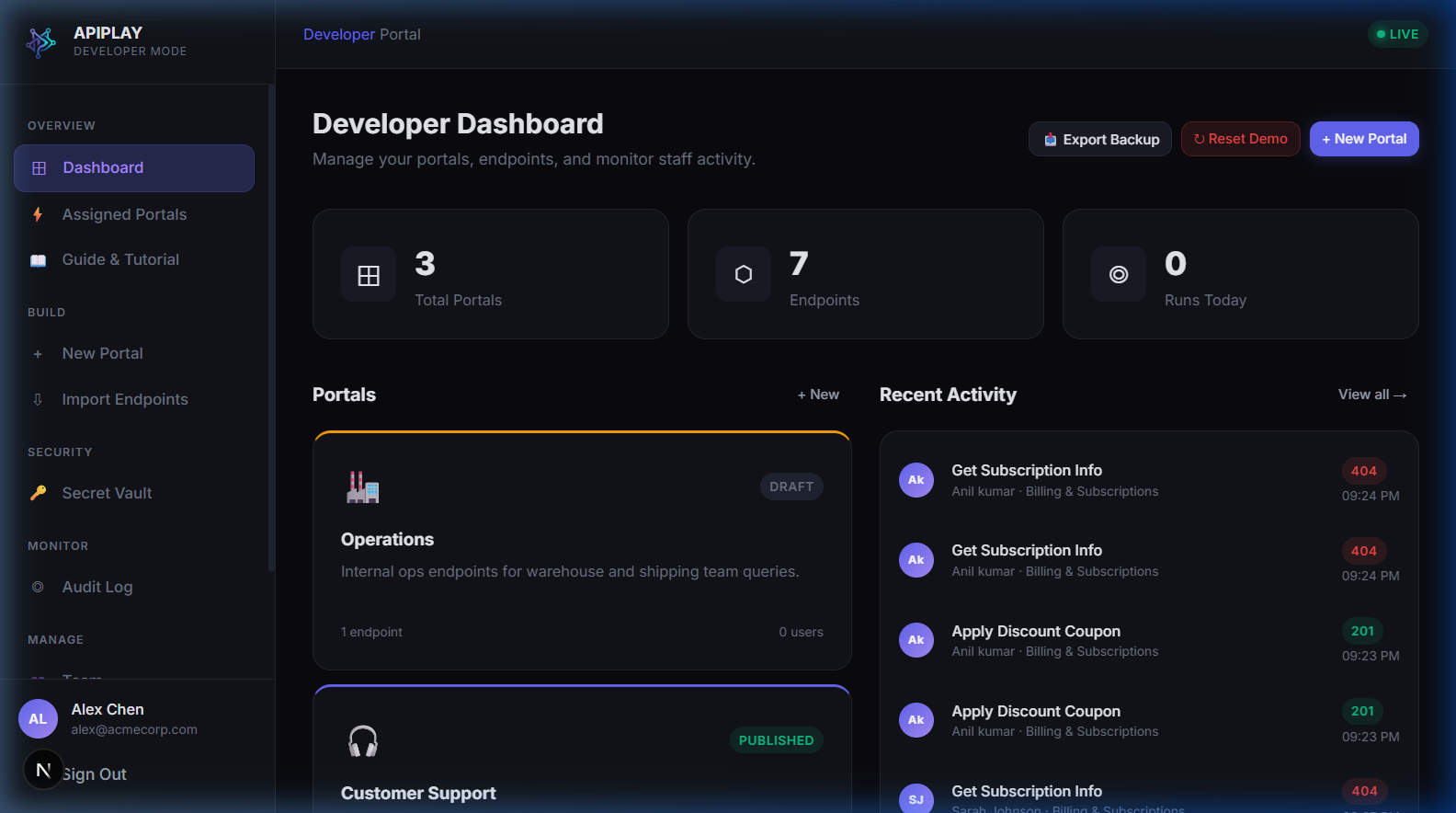
Developer Dashboard (Initial State)
๐Ÿ” Click to expand
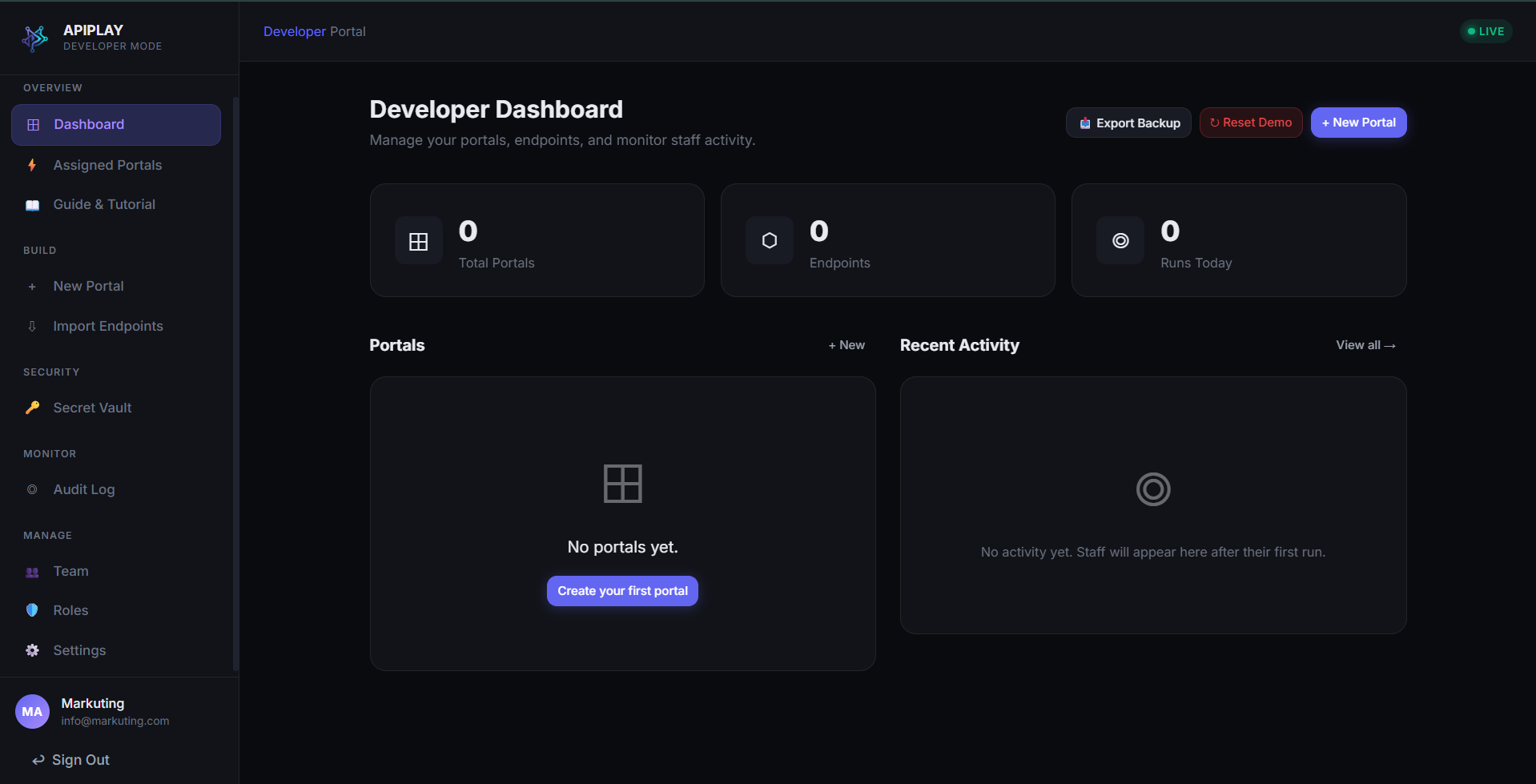
1. OnboardingScreen #1 of 18

Developer Dashboard (Initial State)

Workspace initialization & empty portal overview

When you first access the developer dashboard, APIPLAY provides an intuitive starting point to create your first operational portal or import OpenAPI/Postman collection files.

Key Capabilities & Best Practices

  • โœ“Top-level environment metrics and active workspace counter
  • โœ“One-click "Create New Portal" action to launch the portal wizard
  • โœ“Quick navigation to Secret Vault, Audit Logs, and Assigned Staff Views
Try in live demo โ†’
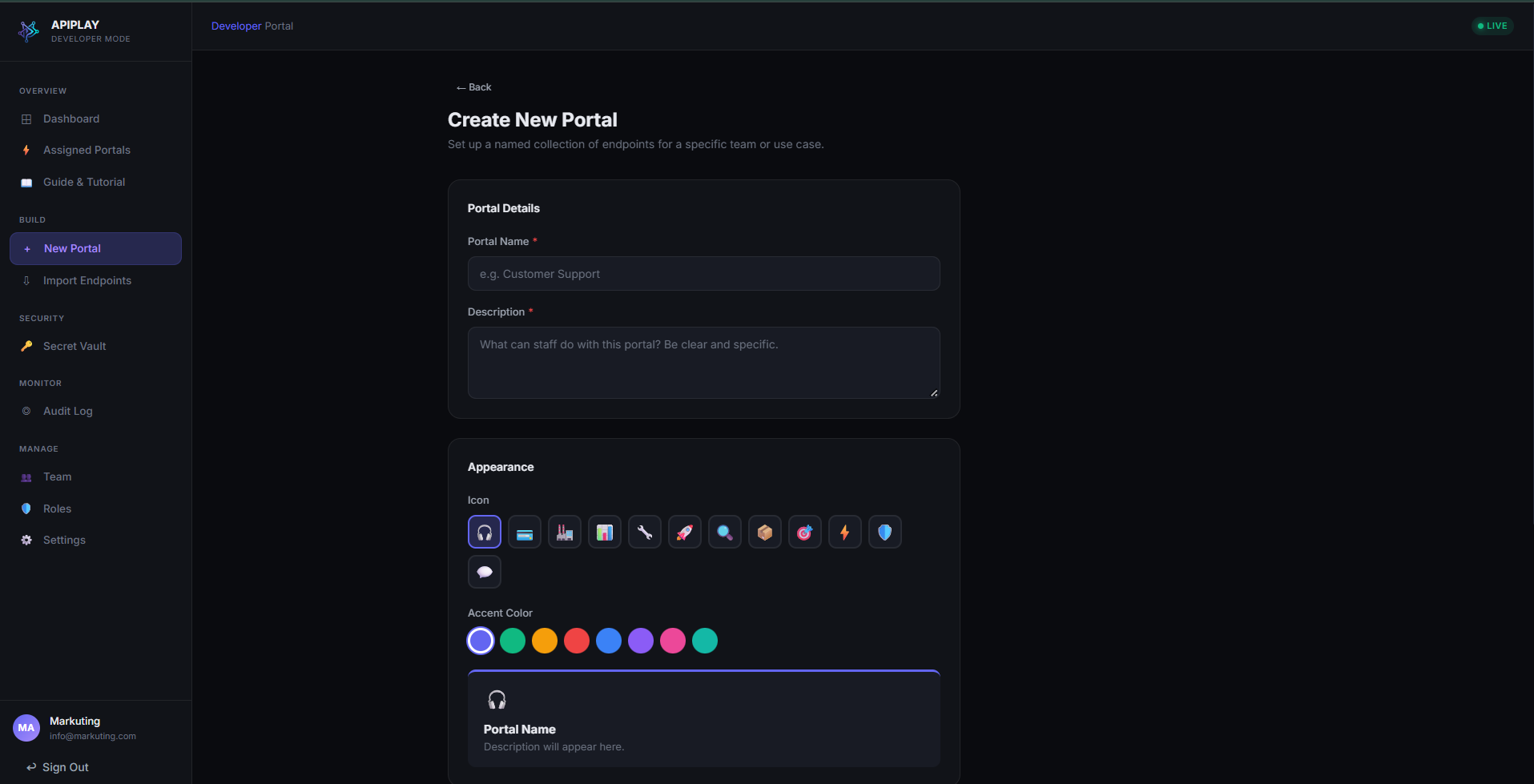
Portal Wizard: Appearance & Branding
๐Ÿ” Click to expand
2. PortalsScreen #2 of 18

Portal Wizard: Appearance & Branding

Step 1 of portal configuration

Customize the visual identity of each operational portal. Different departments (e.g., Customer Support, Fraud Operations, Billing) can be customized with distinct titles, slugs, icons, and theme accents.

Key Capabilities & Best Practices

  • โœ“Portal Title & Description for non-technical team clarity
  • โœ“Custom URL Slug (e.g. /portals/customer-ops) for clean deep-linking
  • โœ“Icon selector and accent color palette to brand the department view
Try in live demo โ†’
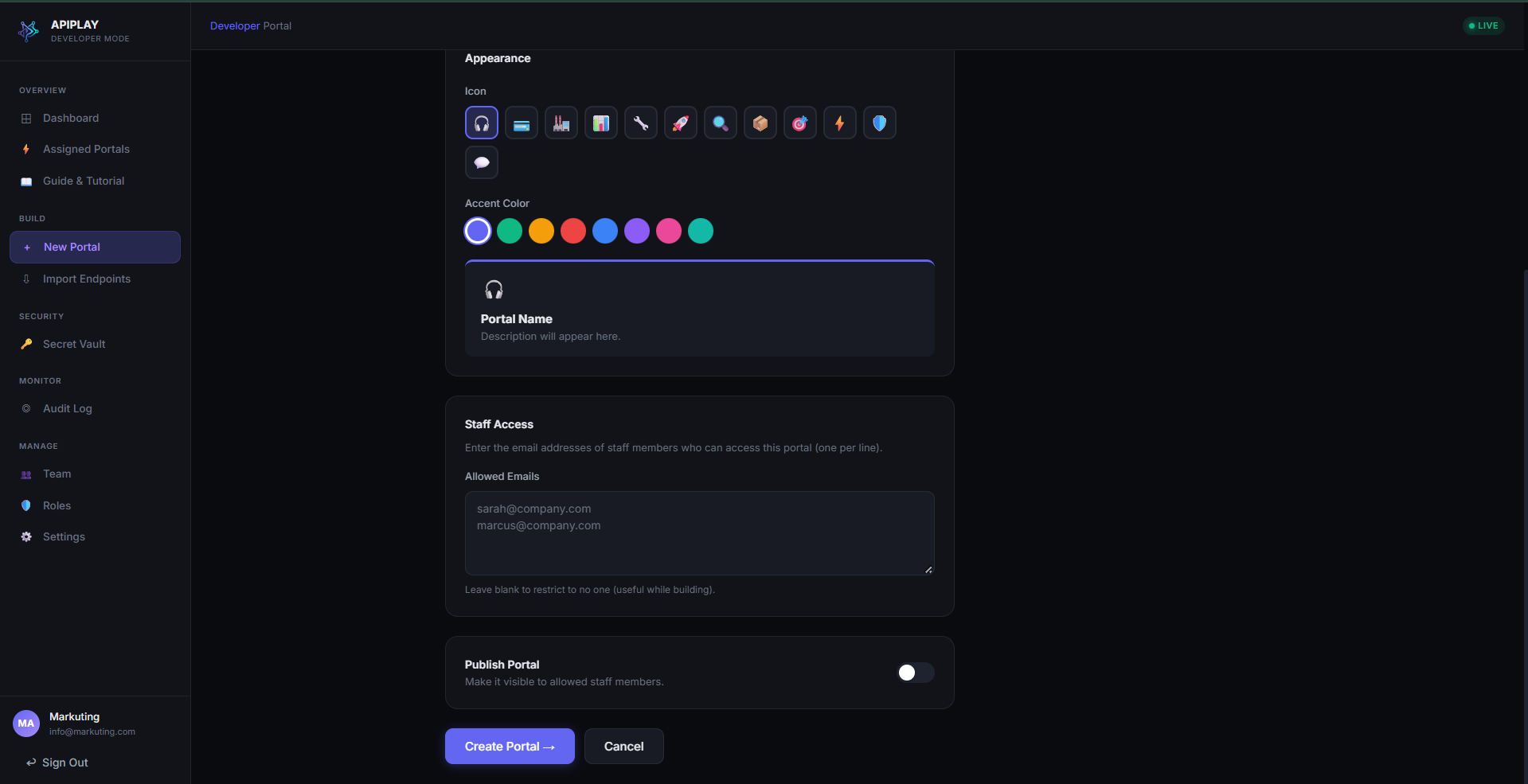
Portal Wizard: Environments & Access Control
๐Ÿ” Click to expand
2. PortalsScreen #3 of 18

Portal Wizard: Environments & Access Control

Step 2 of portal configuration

Define the target API base URLs for both Staging (testing) and Production environments, and designate which RBAC roles are authorized to view and execute this portal.

Key Capabilities & Best Practices

  • โœ“Separate base URLs for Staging (sandbox) and Production upstream backends
  • โœ“Granular role-based assignment (Support Tier 1, Support Manager, Developer)
  • โœ“Dual-confirmation gate options for destructive production operations
Try in live demo โ†’
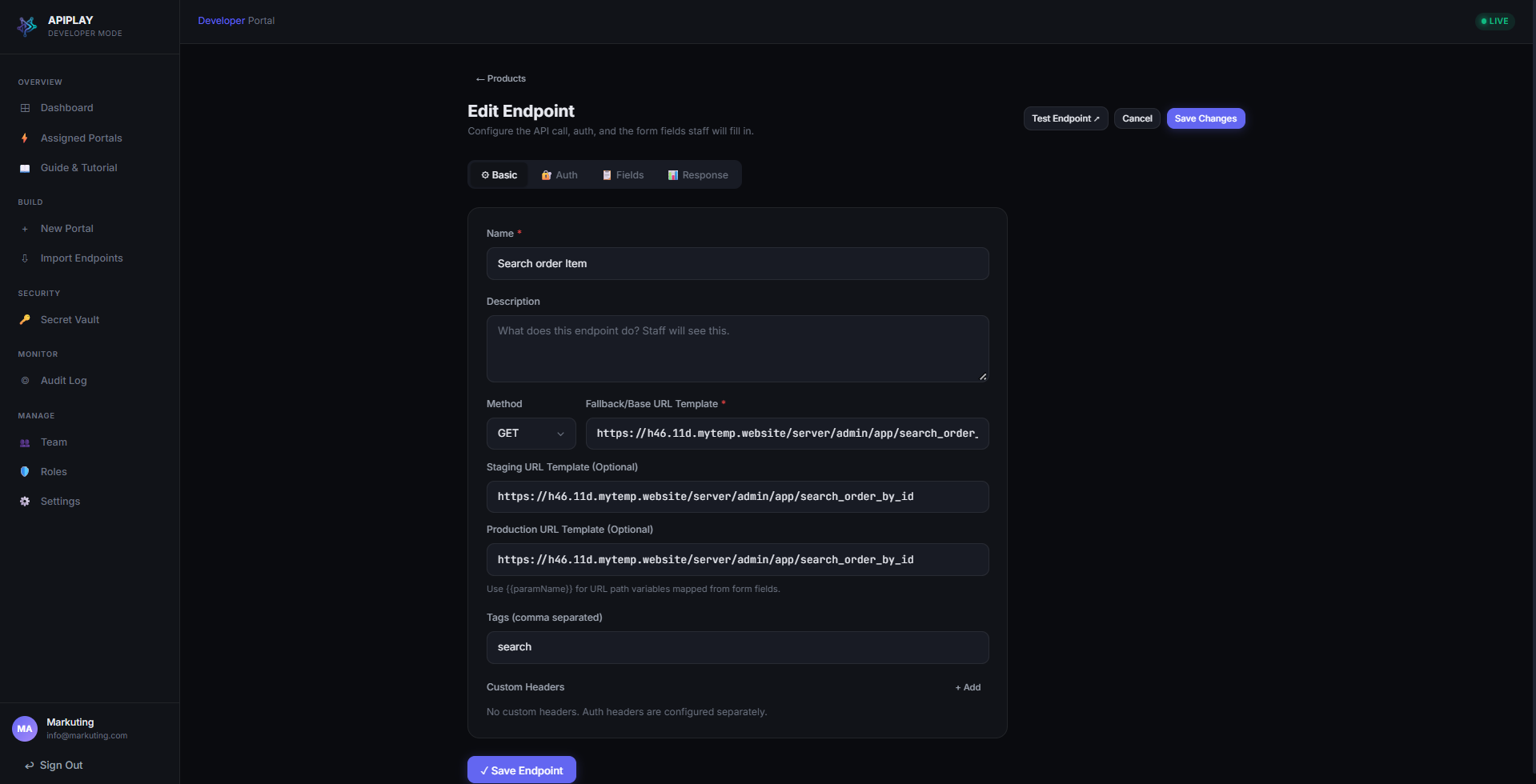
Endpoint Editor: Route & Metadata
๐Ÿ” Click to expand
3. EndpointsScreen #4 of 18

Endpoint Editor: Route & Metadata

Core HTTP configuration and staff descriptions

Configure individual API operations. Map your backend HTTP method (GET, POST, PUT, DELETE, PATCH) and relative path, while providing plain-language titles and instructions for non-technical operators.

Key Capabilities & Best Practices

  • โœ“HTTP Verb selection with visual color tags (GET: green, POST: blue, etc.)
  • โœ“Relative path definition with parameterized tokens (e.g. /v1/users/{user_id}/status)
  • โœ“Operational category grouping to organize runbooks in the staff sidebar
  • โœ“Human-readable title and helpful operator guidance text
Try in live demo โ†’
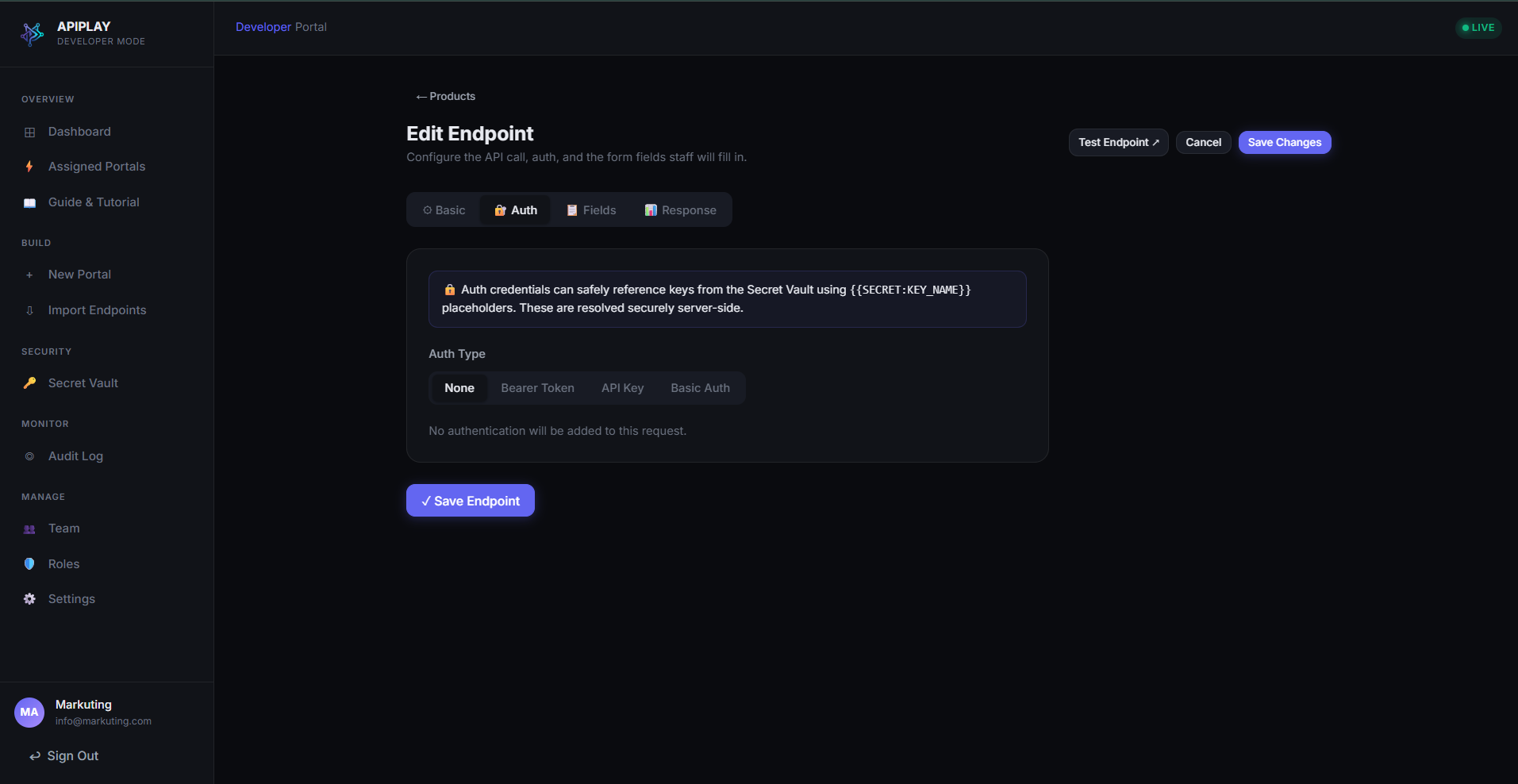
Authentication Mode: Public / None
๐Ÿ” Click to expand
4. AuthenticationScreen #5 of 18

Authentication Mode: Public / None

Open endpoints and unauthenticated health-checks

For public endpoints, health checks, or upstream services that manage authentication through internal IP whitelisting or VPC peering, select "None".

Key Capabilities & Best Practices

  • โœ“No credential injection needed for public APIs
  • โœ“Gateway forwards requests cleanly without additional headers
  • โœ“Still protected by APIPLAY user authentication and append-only audit logging
Try in live demo โ†’
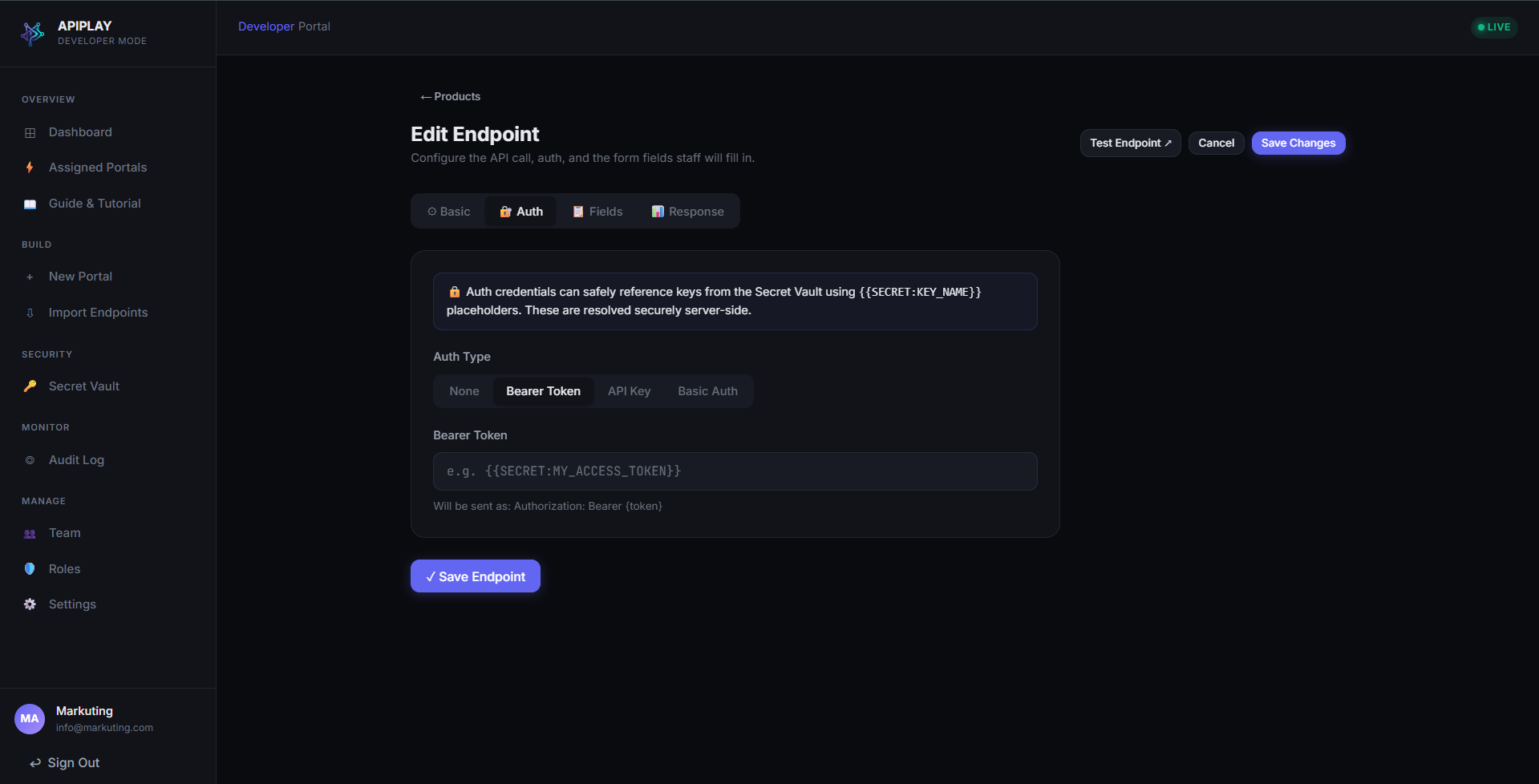
Authentication Mode: Bearer Token
๐Ÿ” Click to expand
4. AuthenticationScreen #6 of 18

Authentication Mode: Bearer Token

Secure token injection using Vault variables

Configure standard HTTP Bearer token authentication. Instead of exposing raw tokens to browsers or staff, inject encrypted vault tokens using the {{SECRET:TOKEN_NAME}} syntax.

Key Capabilities & Best Practices

  • โœ“Automatic Authorization: Bearer <token> header formatting
  • โœ“Zero browser exposure โ€” replaced on-the-fly inside the server-side gateway
  • โœ“Dynamic variable autocomplete from your hardware-encrypted Secret Vault
Try in live demo โ†’
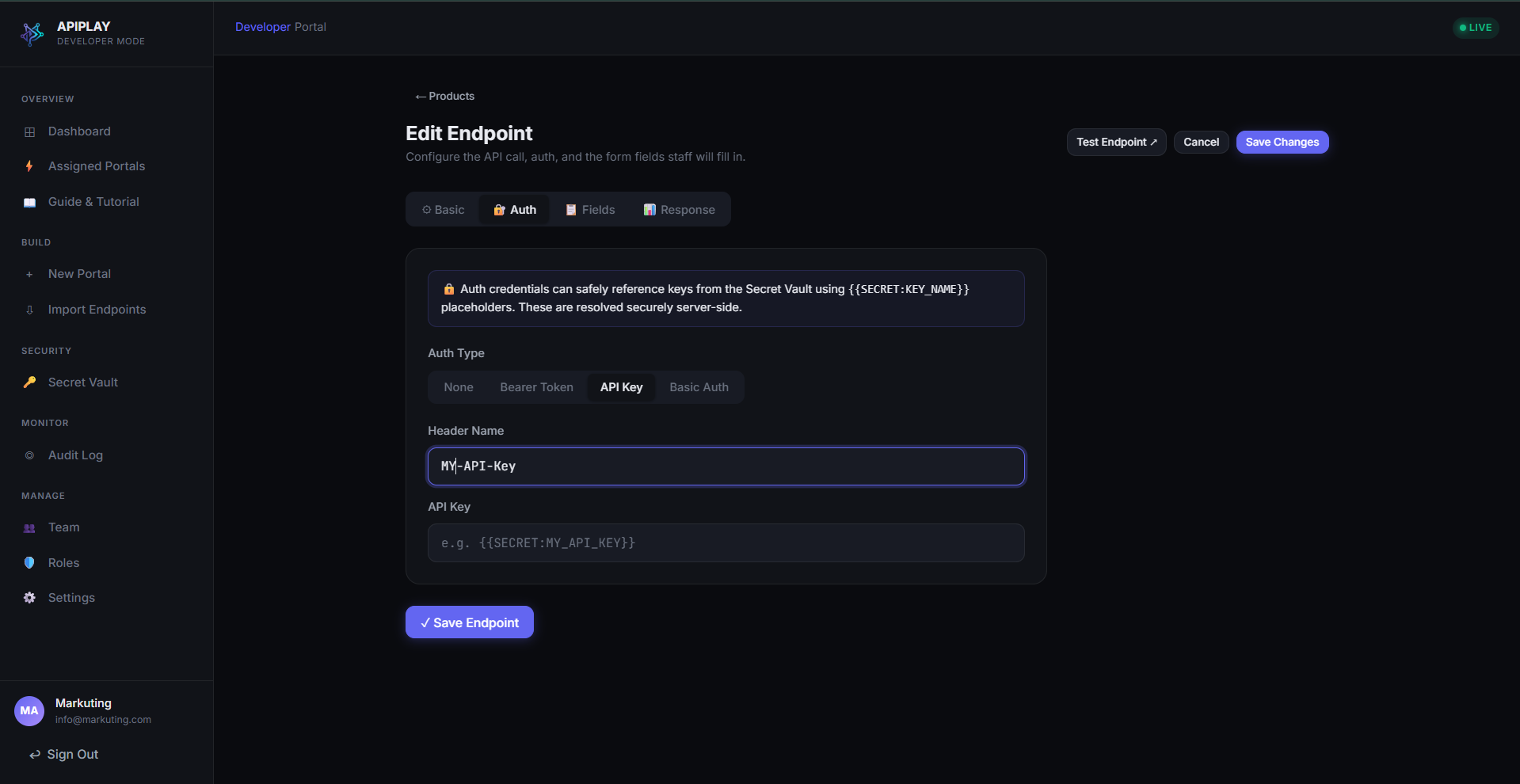
Authentication Mode: Custom Header / Query Key
๐Ÿ” Click to expand
4. AuthenticationScreen #7 of 18

Authentication Mode: Custom Header / Query Key

Flexible API key placement

Support third-party vendors and custom microservices that require API keys placed in custom headers (e.g. X-Api-Key) or query parameters (e.g. ?api_key=).

Key Capabilities & Best Practices

  • โœ“Configurable header name or query parameter key
  • โœ“Vault secret variable injection {{SECRET:API_KEY}}
  • โœ“Safe integration with services like AWS API Gateway, SendGrid, and Twilio
Try in live demo โ†’
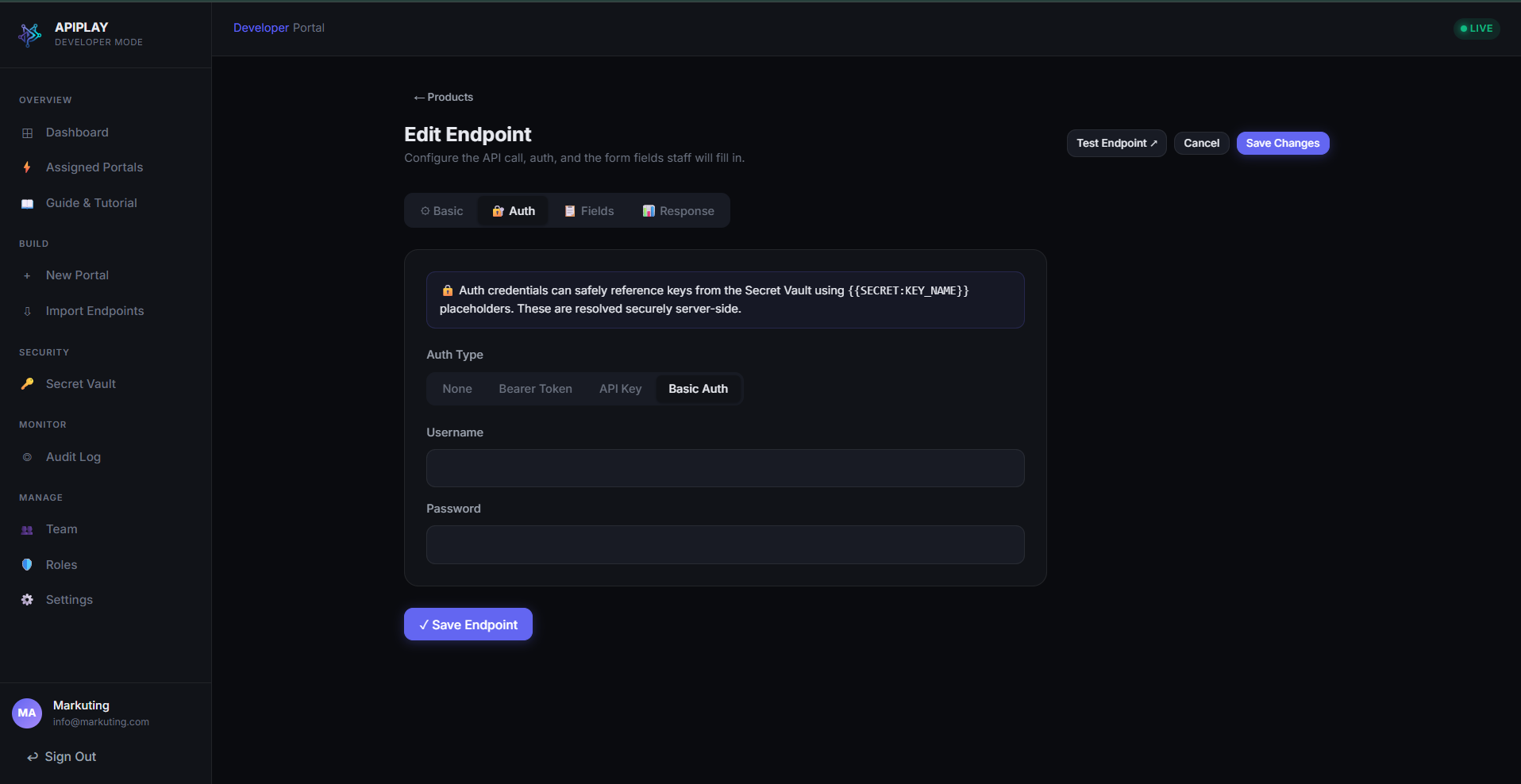
Authentication Mode: HTTP Basic Auth
๐Ÿ” Click to expand
4. AuthenticationScreen #8 of 18

Authentication Mode: HTTP Basic Auth

Username and encrypted password credentials

Wrap legacy microservices or admin APIs requiring standard HTTP Basic Authentication (RFC 7617) with base64-encoded username and password pairs.

Key Capabilities & Best Practices

  • โœ“Separated username and password fields
  • โœ“Encrypted password storage in the Vault
  • โœ“Server-side Base64 header compilation without client exposure
Try in live demo โ†’
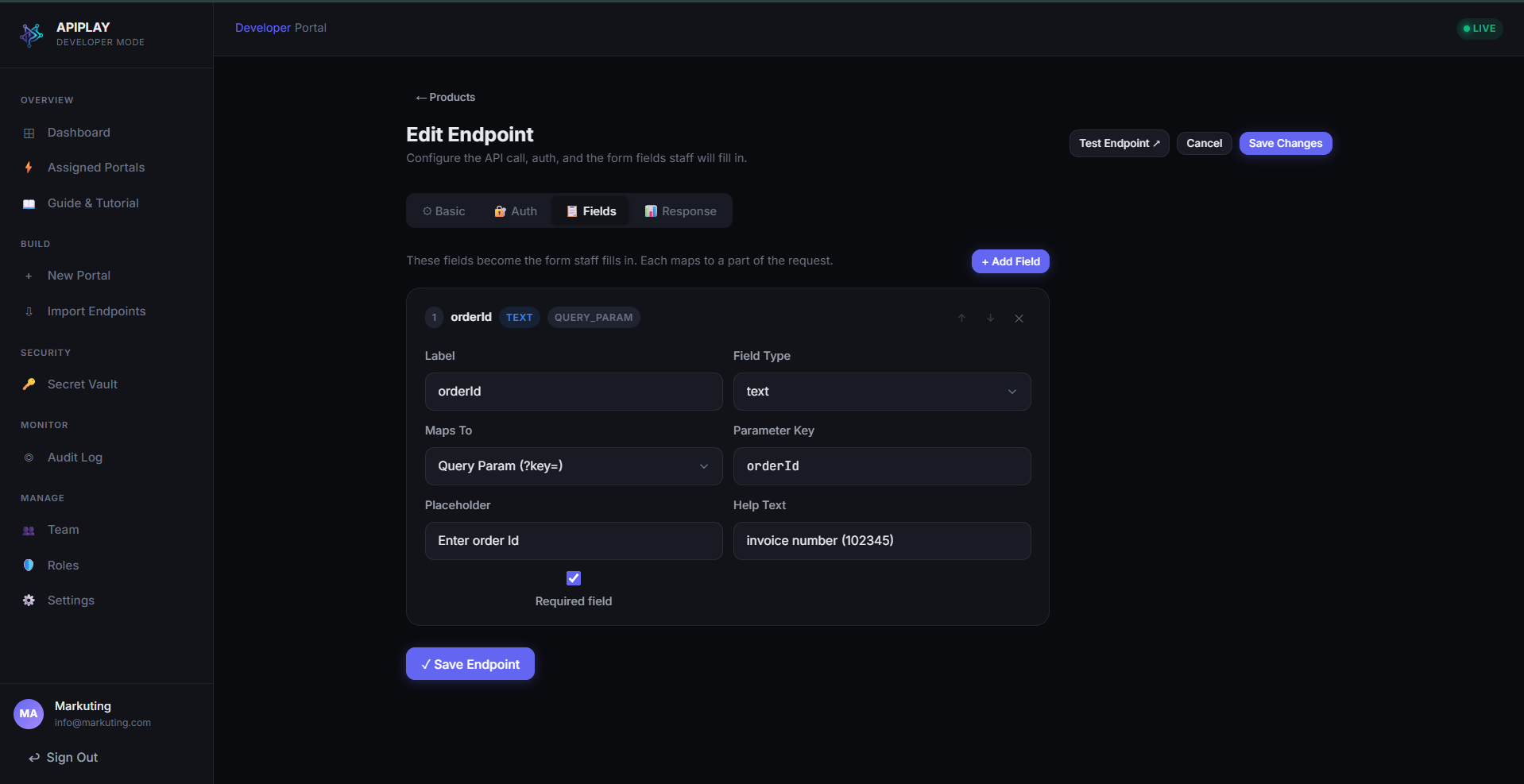
Visual Schema Form Builder
๐Ÿ” Click to expand
5. Form BuilderScreen #9 of 18

Visual Schema Form Builder

Transform raw JSON & queries into validated inputs

Convert complex API payloads into simple, validated form controls. Define text inputs, number pickers, boolean toggles, and dropdown selectors with strict validation rules.

Key Capabilities & Best Practices

  • โœ“Parameter location mapping: Query string, URL Path, or JSON Request Body
  • โœ“Field types: Text, Number, Boolean switch, Dropdown select with preset choices
  • โœ“Strict input validation rules: required fields, regex patterns, min/max bounds
  • โœ“Helpful placeholder text and operational descriptions for each input
Try in live demo โ†’
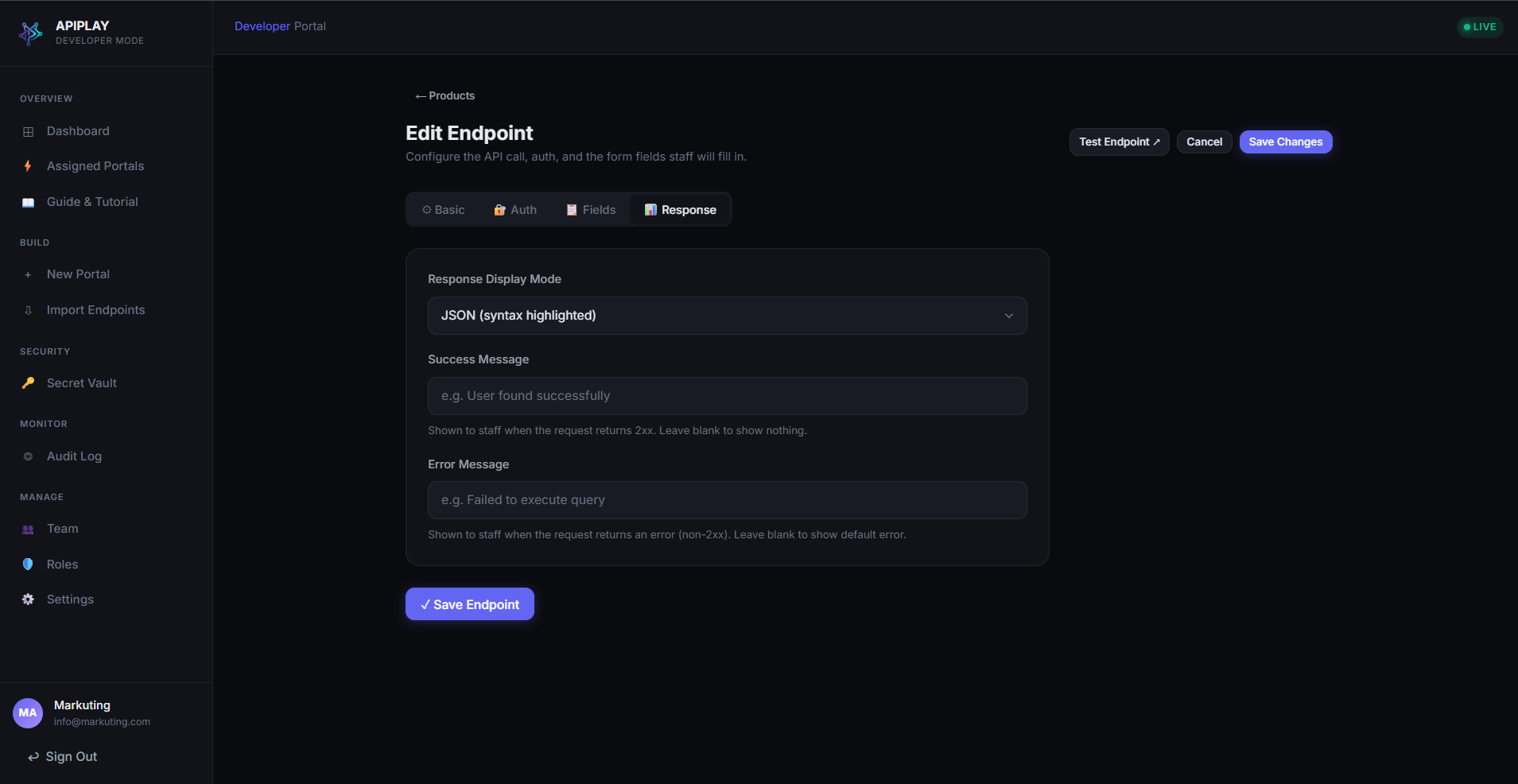
Response Mapping & Preview
๐Ÿ” Click to expand
5. Form BuilderScreen #10 of 18

Response Mapping & Preview

Auto-flattening tables and status code handling

Configure how upstream responses are presented to support operators. APIPLAY automatically identifies JSON arrays and prepares clean tabular presentations with CSV export.

Key Capabilities & Best Practices

  • โœ“Expected HTTP status code definitions (200 OK, 201 Created, 404 Not Found)
  • โœ“Auto-flattening of deeply nested JSON objects into row-and-column tables
  • โœ“Preview mode to simulate operator experience during development
Try in live demo โ†’
Developer Dashboard (Configured Portals)
๐Ÿ” Click to expand
1. OnboardingScreen #11 of 18

Developer Dashboard (Configured Portals)

Multi-portal management and endpoint overview

An active workspace showing configured operational portals with live endpoint counts, environment statuses, and quick action shortcuts for continuous iteration.

Key Capabilities & Best Practices

  • โœ“High-level operational overview across all department portals
  • โœ“Instant access to edit endpoints, manage access permissions, or run queries
  • โœ“Real-time status indicators for Staging and Production configurations
Try in live demo โ†’
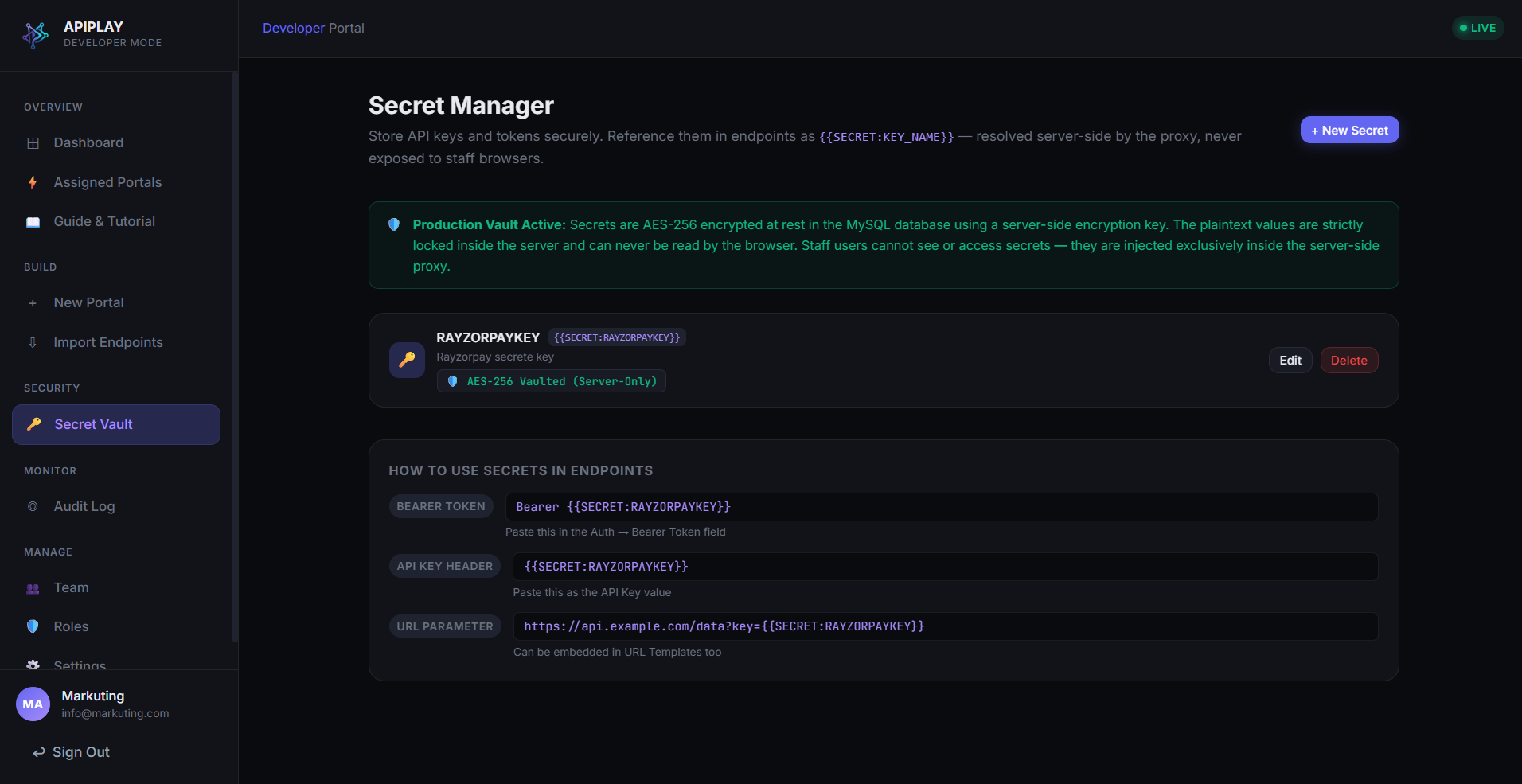
Secret Vault: Key Management Overview
๐Ÿ” Click to expand
6. Secret VaultScreen #12 of 18

Secret Vault: Key Management Overview

Hardware-encrypted credentials at rest

Centralized, write-only credential storage. API keys and authentication tokens are encrypted with AES-256-GCM and injected strictly at the server gateway layer during execution.

Key Capabilities & Best Practices

  • โœ“Masked preview of stored credentials (e.g. sk_live_โ€ขโ€ขโ€ขโ€ขโ€ขโ€ขโ€ขโ€ข394x)
  • โœ“Environment scoping (Staging vs Production credentials)
  • โœ“Last rotated timestamps and write-only security safeguards
Try in live demo โ†’
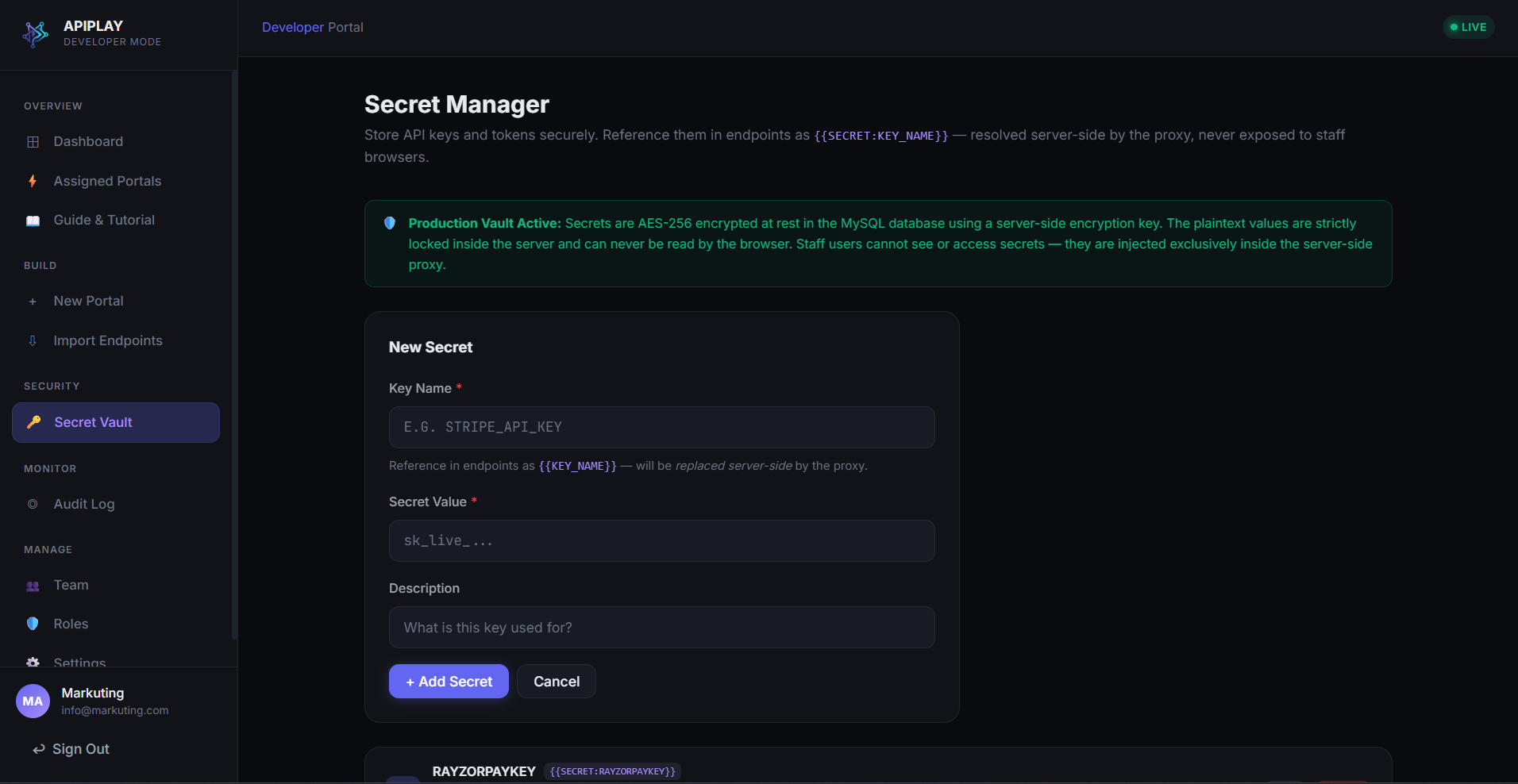
Secret Vault: Registering a New Secret
๐Ÿ” Click to expand
6. Secret VaultScreen #13 of 18

Secret Vault: Registering a New Secret

Zero-browser credential registration

Add a new secret key into the AES-256-GCM vault. Once saved, the secret cannot be retrieved or read back by any frontend user or browser request, preventing credential leaks.

Key Capabilities & Best Practices

  • โœ“Key identifier naming (e.g. PROD_PAYMENT_GATEWAY_TOKEN)
  • โœ“Encrypted payload entry with secure password masking
  • โœ“Immediate readiness for {{SECRET:KEY_NAME}} injection syntax
Try in live demo โ†’
Role-Based Access Control (RBAC)
๐Ÿ” Click to expand
7. RBAC & RolesScreen #14 of 18

Role-Based Access Control (RBAC)

Granular permissions and team governance

Enforce the principle of least privilege. Separate engineering configuration rights from daily operational query execution across developers, managers, and support tiers.

Key Capabilities & Best Practices

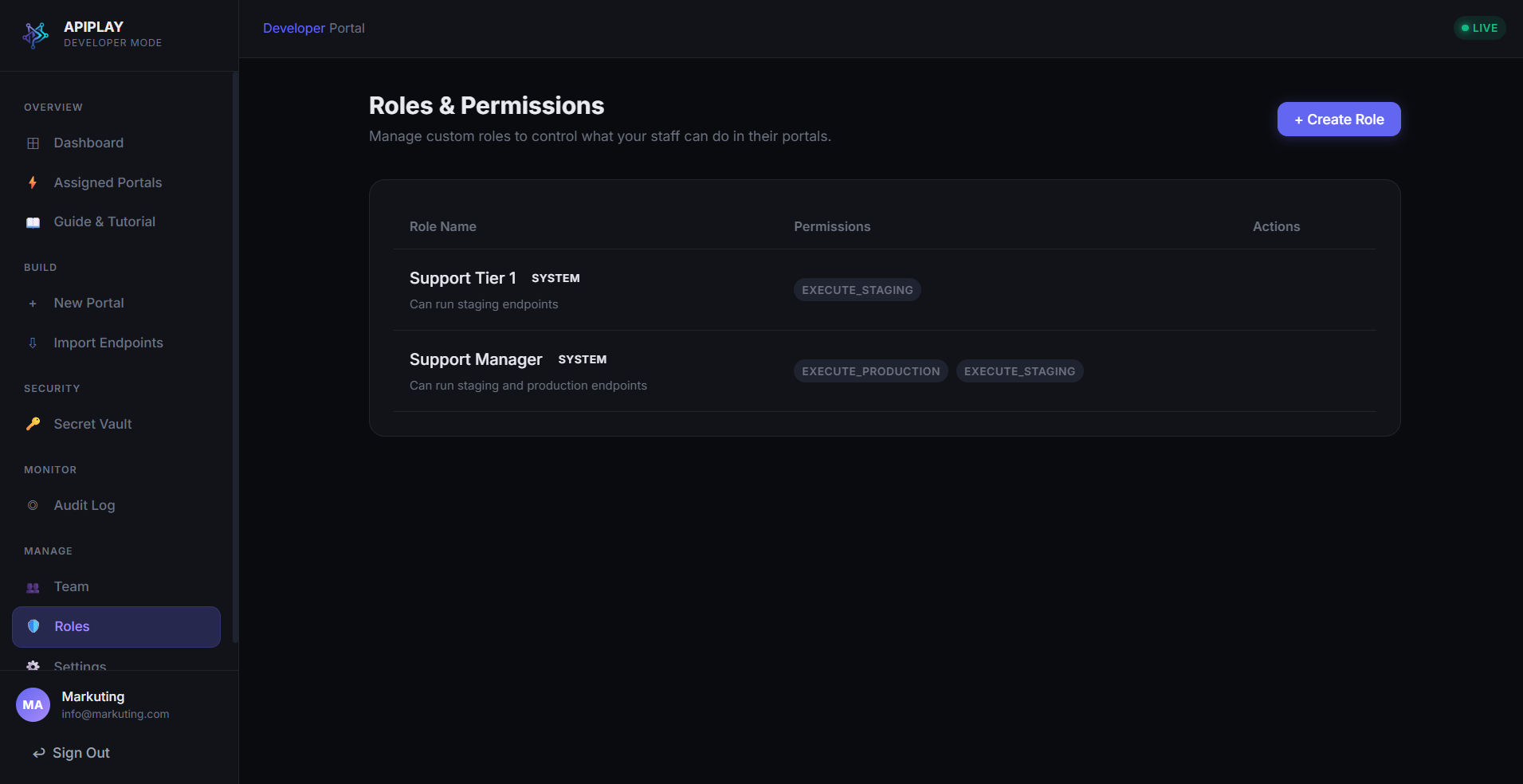
  • โœ“Pre-configured role profiles: Developer, Support Manager, Support Tier 1
  • โœ“Team member assignment and assigned portal boundaries
  • โœ“Complete isolation between configuration authorities and execution permissions
Try in live demo โ†’
Custom Role Creator
๐Ÿ” Click to expand
7. RBAC & RolesScreen #15 of 18

Custom Role Creator

Fine-grained permission flags

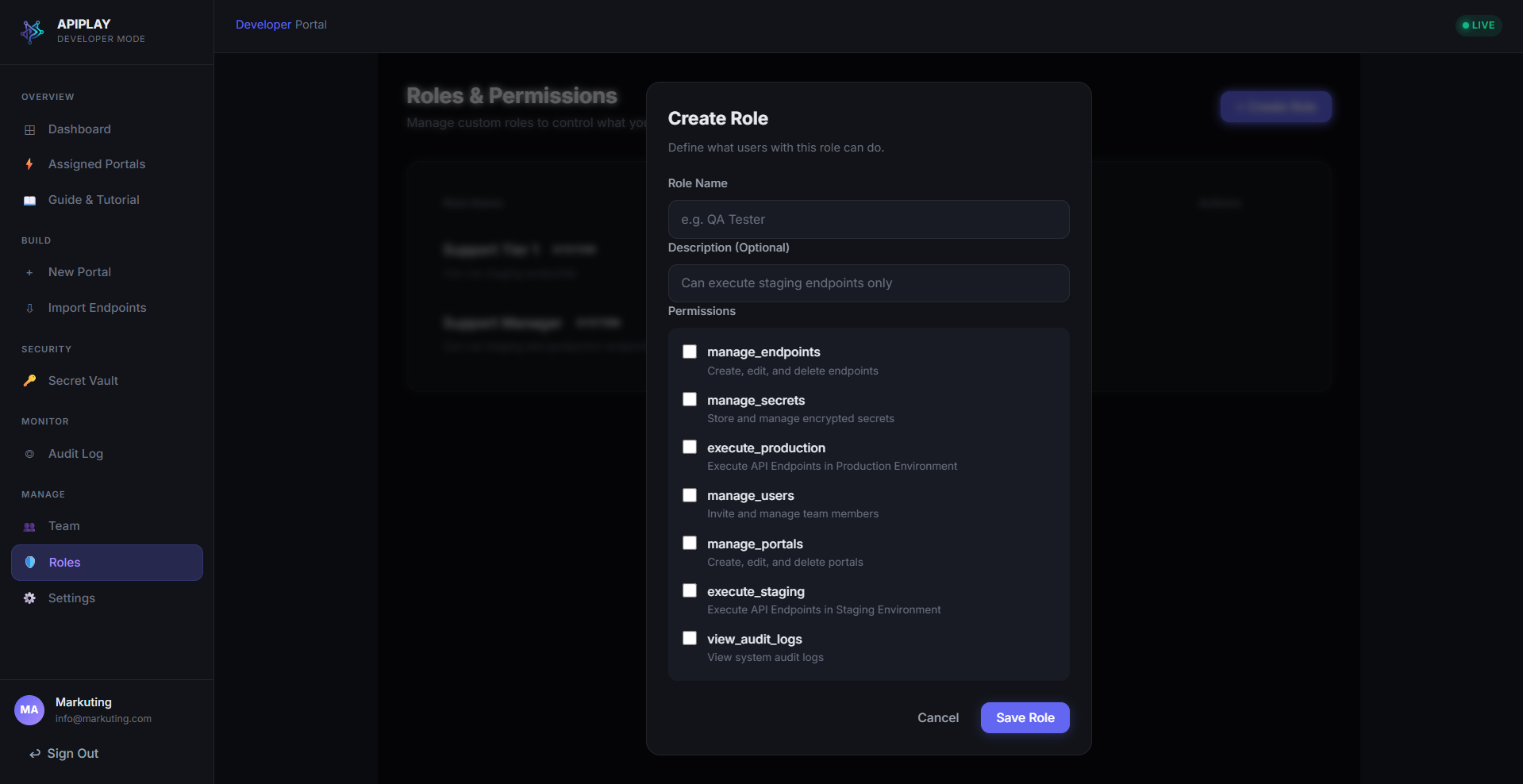
Build specialized custom roles with precise privilege toggles. Control who can manage portals, register secrets, view centralized audit logs, or run queries in Production.

Key Capabilities & Best Practices

  • โœ“Toggles for manage_portals, manage_endpoints, and manage_secrets
  • โœ“Independent execution rights: execute_staging vs execute_production
  • โœ“Audit log visibility toggles for compliance officers
Try in live demo โ†’
Staff Execution Portal: Portal Catalog
๐Ÿ” Click to expand
8. Staff RunnerScreen #16 of 18

Staff Execution Portal: Portal Catalog

Non-technical operator landing view

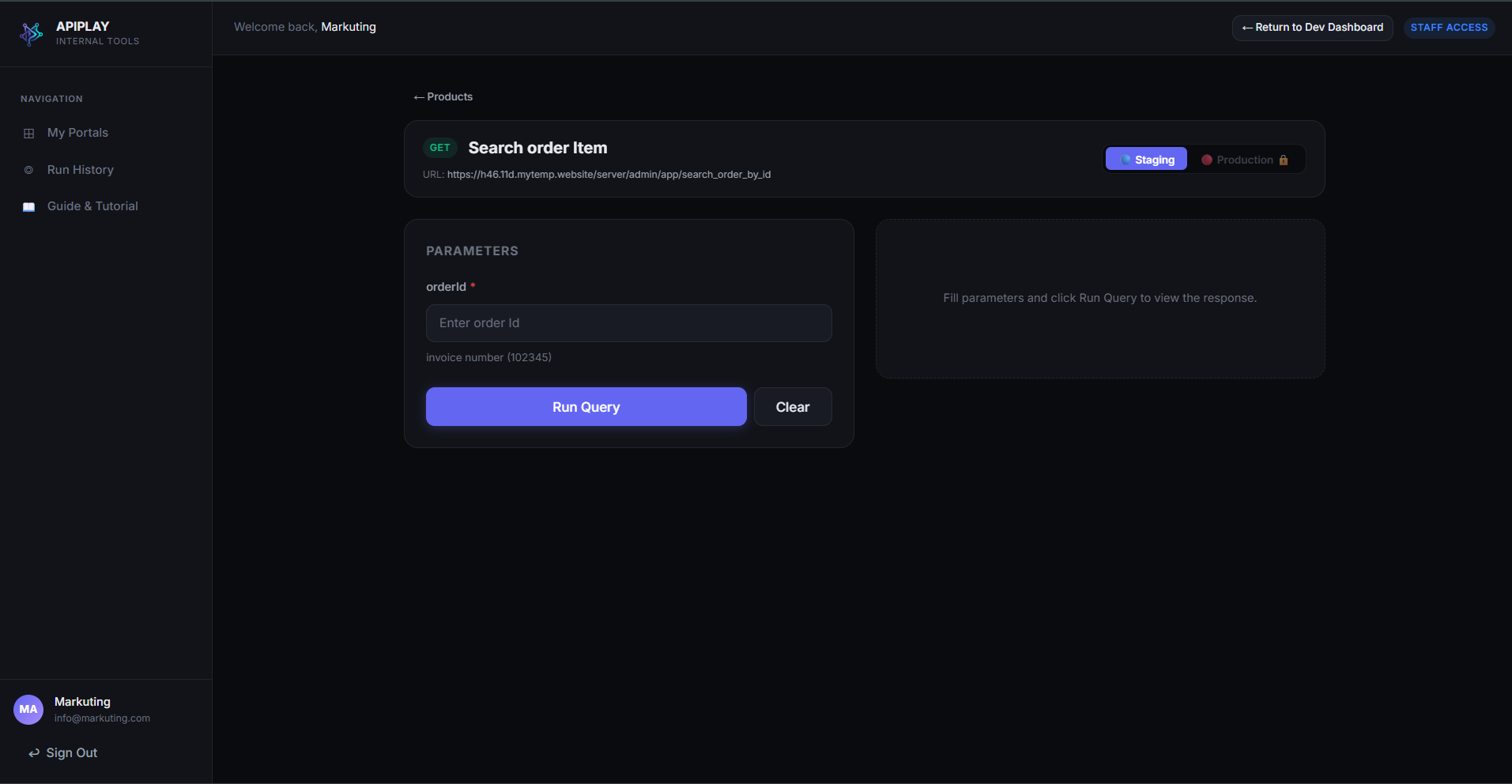
Support and operations staff see an uncluttered, modern catalog of portals explicitly assigned to their role. No code, no raw JSON, and no terminal tools required.

Key Capabilities & Best Practices

  • โœ“Clean cards showing permitted portals with custom icons and badges
  • โœ“Role-governed visibility preventing accidental access to unauthorized APIs
  • โœ“Single-click access to open the parameterized runbook forms
Try in live demo โ†’
Staff Execution Portal: Parameter Input Form
๐Ÿ” Click to expand
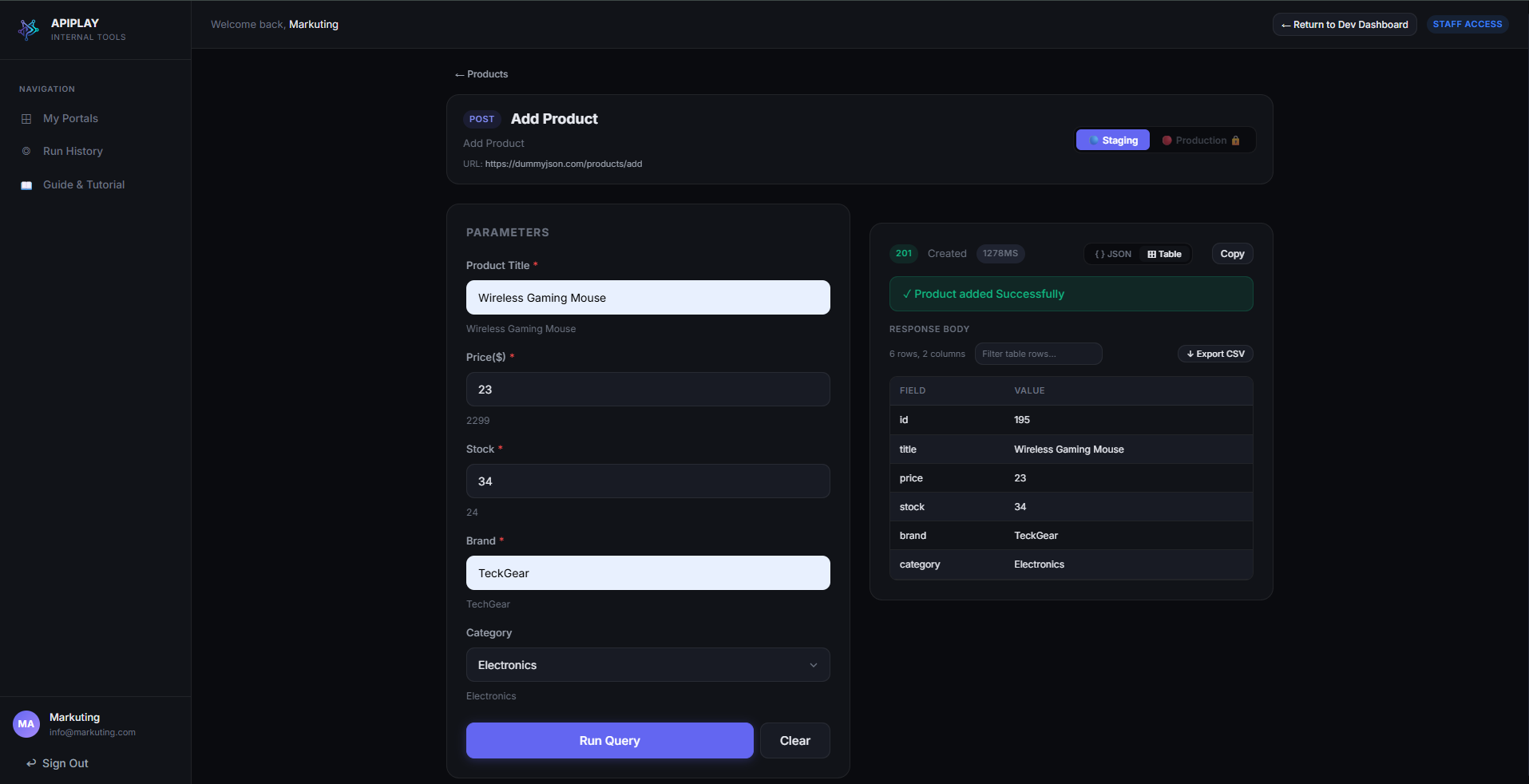
8. Staff RunnerScreen #17 of 18

Staff Execution Portal: Parameter Input Form

Safe, guided form execution with Staging/Prod toggles

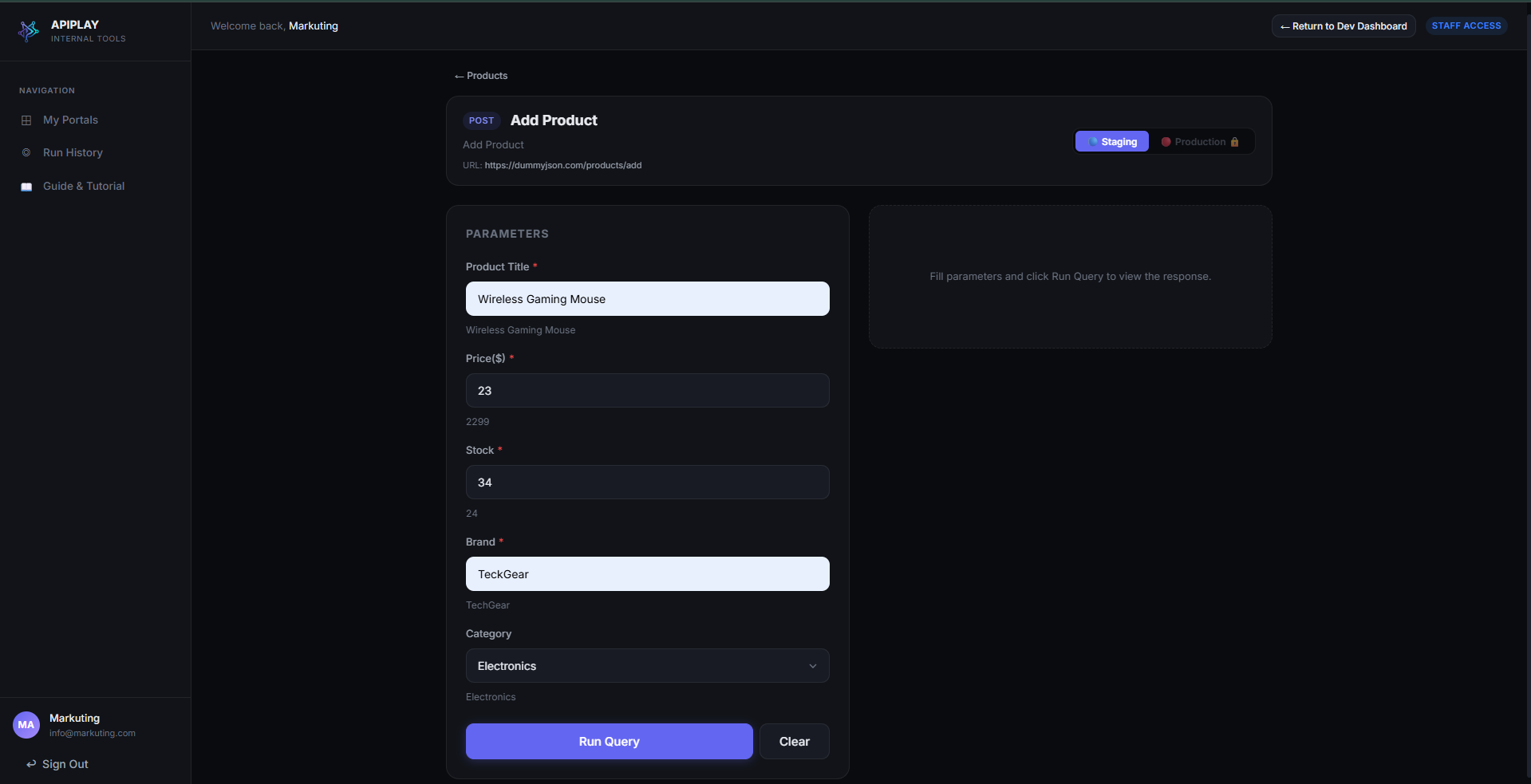
Staff execute operational workflows through intuitive form fields with real-time validation, target environment toggles (Staging/Production), and explicit confirmation checks.

Key Capabilities & Best Practices

  • โœ“Clean form fields with field-level format validation (UUIDs, emails, numbers)
  • โœ“Environment switch with visual warning indicators for Production
  • โœ“Explicit confirmation modal before submitting modifying requests (POST, DELETE)
Try in live demo โ†’
Staff Execution Portal: Live Response & CSV Export
๐Ÿ” Click to expand
8. Staff RunnerScreen #18 of 18

Staff Execution Portal: Live Response & CSV Export

Structured JSON inspection and flattened table view

Upon execution, operators receive clean, formatted response data. Switch seamlessly between formatted JSON trees and flattened table views, and download CSV reports with one click.

Key Capabilities & Best Practices

  • โœ“HTTP status badge (200 OK), round-trip latency, and server timestamp
  • โœ“Dual view mode: Interactive JSON tree viewer OR flattened data table
  • โœ“One-click CSV Export button for spreadsheet audits and ticket documentation
Try in live demo โ†’

Frequently Asked Technical Questions

Everything developers and security engineers ask about implementing APIPLAY in production.

How does APIPLAY inject secrets without frontend exposure?

Frontend browsers submit runbook parameters with placeholder tokens (e.g., {{SECRET:GATEWAY_KEY}}). The request is authenticated via stateless JWT at our Next.js edge and forwarded to the backend gateway. The gateway queries MySQL, decrypts the ciphertext using AES-256-GCM with an authenticated 128-bit tag, compiles the HTTP header, and executes the upstream call. The secret never leaves the secure server process.

Can support staff run destructive actions by mistake?

No. First, role-based access control (RBAC) allows you to designate which roles can execute queries in Staging vs Production. Second, all non-idempotent HTTP methods (POST, PUT, DELETE, PATCH) require explicit dual-confirmation modals before the browser dispatches the execution request.

What happens to response bodies and customer data?

APIPLAY records execution metadata (timestamp, user email, portal, environment, HTTP status code, and latency) in an append-only audit log table. We do not store third-party response bodies or sensitive customer payload contents on disk. Responses are streamed directly back to the staff browser for real-time inspection.

Can I import my existing OpenAPI / Swagger specification?

Yes! When creating or editing a portal, you can upload an OpenAPI v3 JSON/YAML or a Postman Collection v2.1 export. APIPLAY automatically parses all paths, methods, query parameters, headers, and request bodies into strongly-typed form schemas instantly.

Ready to stop sharing Postman collections?

Create your free developer account today. Wrap your first API endpoint in under 3 minutes with zero credit card required.

Start Free with Starter Plan โ†’Test Interactive Demo